

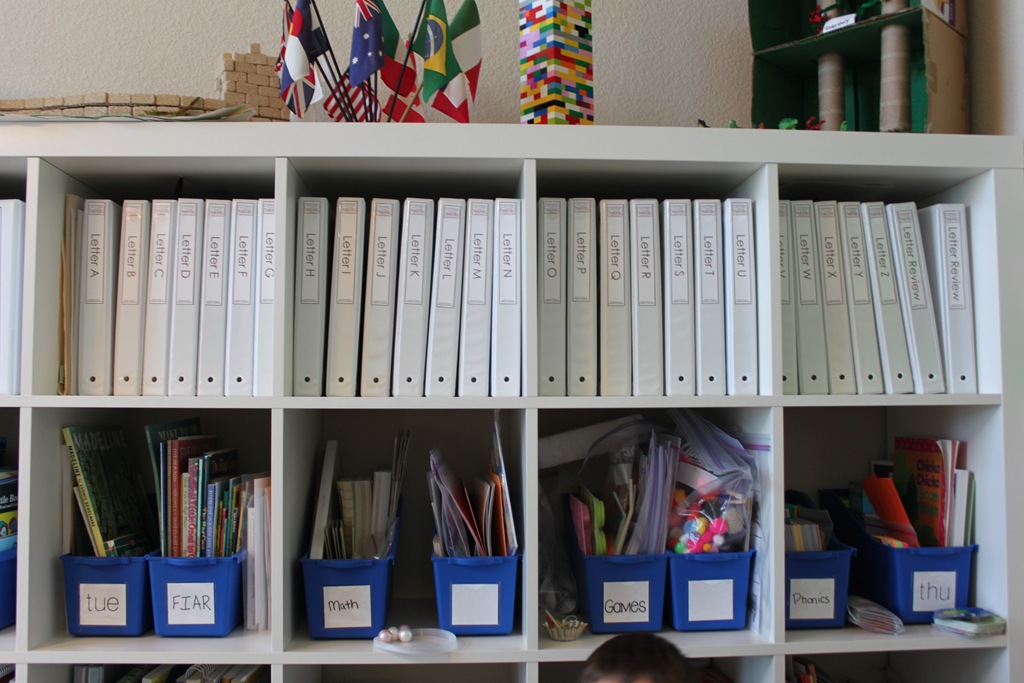
I’ve had a few questions on how I organized all of my Letter of the Week and K4 Kindergarten Curriculum, so I thought I’d show you all some pictures!
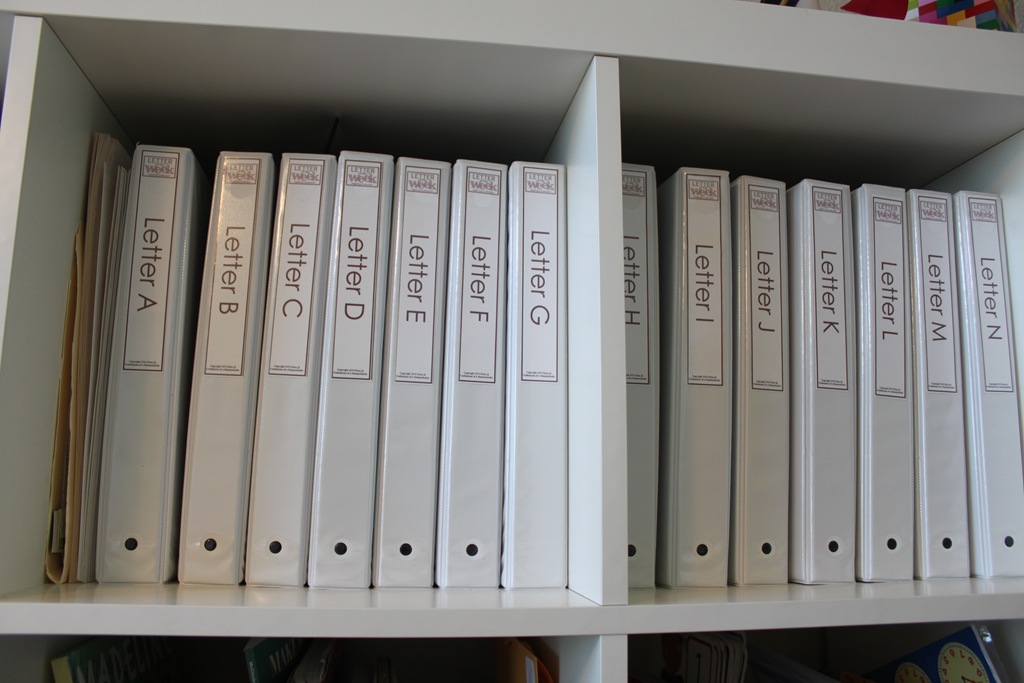
Since I’ve printed ALL of my printables, I had to come up with some way to store them all! I decided binders full of page protectors was my best bet. Along the top of my Ikea Expedit Shelving unit, you will find binders…lots of binders! (They are cheap 1” binders from Wal-m*rt)
Each binder has a spine label on it indicating the letter, then inside are page protectors housing all of the games for that letter. (The spine labels are part of my Letter of the Week Curriculum in the “extras” folder and K4 Curriculum as well.)
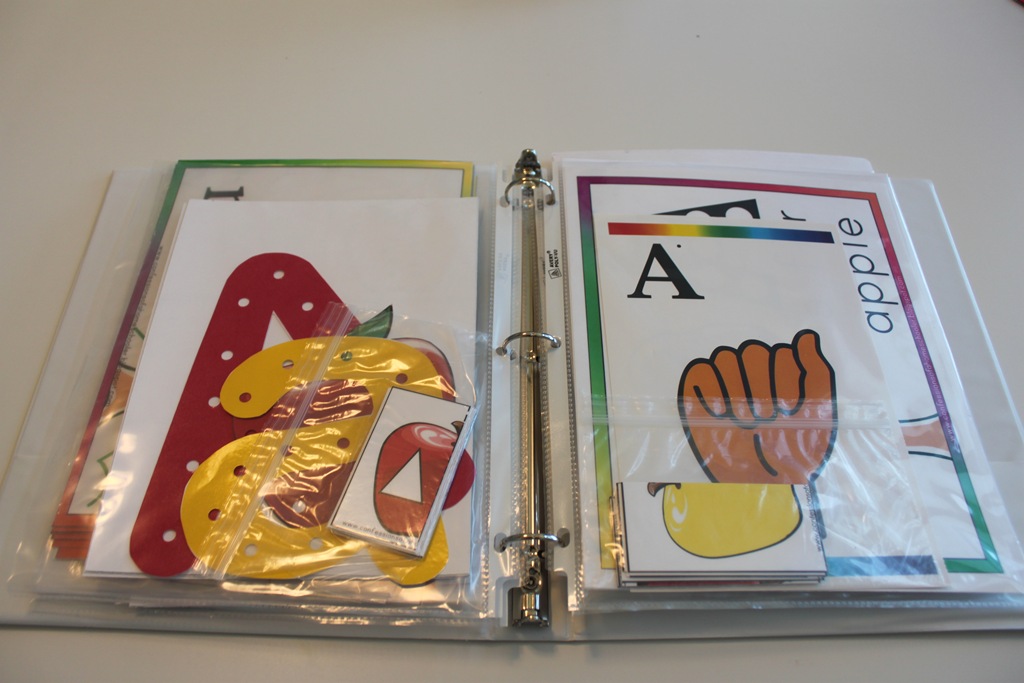
I store small game pieces in snack size Zip-loc baggies, then put them inside the page protectors for safe keeping.
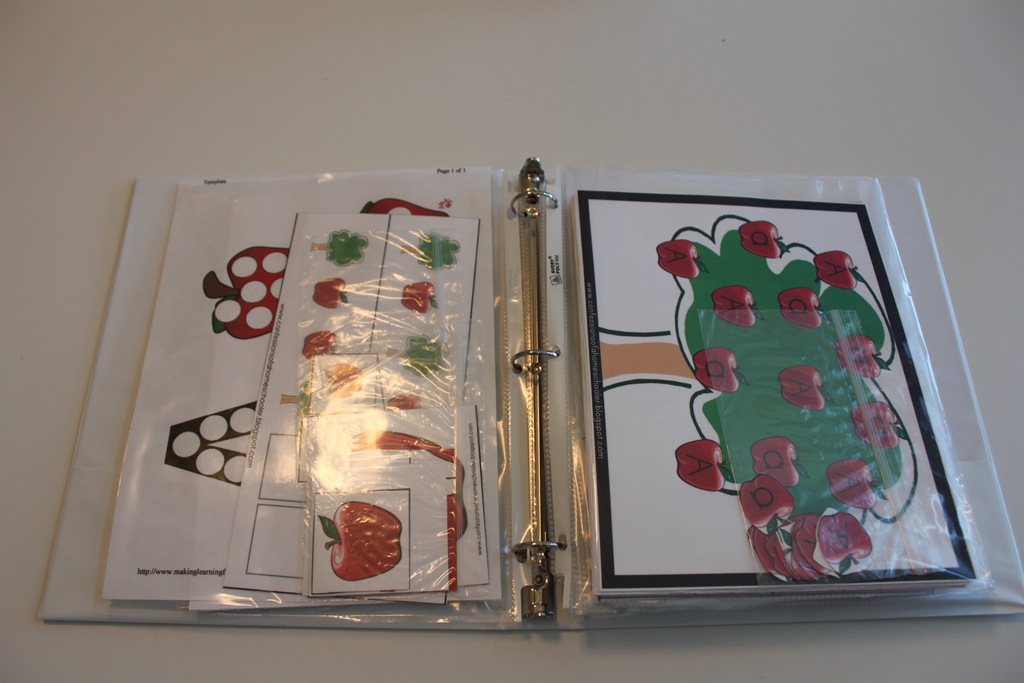
I also put several pages into one page protector, for example all of the Large Floor Numbers for Letter A are in one page protector.

If you aren’t feeling like laminating everything, page protectors are also a great way to be able to re-use the items that are to be traced like the pre-writing pages.

As you can see, I’ve put more than one game in each page protector just to make the most out of my space.
ALTERNATIVE STORAGE IDEAS: Instead of using binders, which can take up a lot of space, you might consider using 9×12 clasp envelopes. You’ll need one folder for each letter plus a few extras for review games. Label them Letter A, Letter B, and so on. Then place the individual games in snack size or sandwich size Ziploc baggies and store them inside the appropriately labeled envelope. Store your alphabet envelopes in a plastic file crate or on a bookshelf.
And that’s it! Lots of binders or folders, and some baggies and page protectors and you’re all set!
NOTE: You may not need to purchase 26 binders like I did, it will depend on how many games and such you have printed from the curriculum. I’ve had other readers say they’ve fit a few letters in each binder, so you’ll want to figure out about how much you think you can fit before going crazy in the binder isle ;o)
For the K4 Curriculum, I used 4 binders.
So, for what it’s worth, I hope that helps some of you on the organization side of things!
For more information on Letter of the Week and K4 Curriculum, click the buttons below:


Hi I just stumbled upon your blog and its soon amazing, so much info. I homeschool a 3.5 year old and 1.5 year old and have one on the way. We have pretty much just been learning through play and flash cards. I have recently started to do weekly theme but its pretty difficult for me to find things that they can both do and keep up the theme.
My question is, what age do you recommend this curriculum for? and also, do you think it would work to do 2 letters a week or mix? I appreciate the structure of this, i see how helpful it could be for us but I think my eldest may by a little advanced for this, yet not so ready for the K4. Any suggestions? Thanks so much
This curriculum is recommended for preschool aged students around age 3-4 or so. But keep in mind all children are different, some are ready earlier, and some later. You can organize it however you want, if you’d like to try and squeeze in 2 letters a week you can do that as long as your student is learning the information and not feeling rushed 🙂 The K4/5 Kindergarten is for 4-5 year olds ready to move on with reading and beginning math skills.
hello Erica, im not sure if my question went thru, but where do I find the signing letter page. I see it on the last pics of ur binder on this pg
Hi Chris, those were purchased separately, you can find them here: https://amzn.to/2COhCL3
Just purchased this and trying to decide what to do for storage, I like the idea of the file box because of limited space, but the page protectors sound good for saving on less to laminate. Can someone give me an idea of what items are the best to laminate, and what would work with a simple page protector? Also, do you print on regular copy paper, or thicker like cardstock or similar?
Hi Stacy,
It really depends on if you plan to re-use the curriculum with other siblings. If so you may want to laminate all of the games so they are a bit more durable. I also laminate the lacing games because regular paper will tear. Anything that is a ‘worksheet’ type thing where students are writing on can be put in a page protector. And of course I do not laminate anything that is consumable. If you don’t plan to re-use then you may not want to laminate at all! It really just depends on your needs. And yes, i usually do the least expensive copy paper I can to save $.
Hello, I was wondering which curriculum I needed to buy that included the items that use lacing. I couldn’t find which one included that.
Hi Jessica,
the Letter of the Week curriculum includes lacing shapes in it: https://store.confessionsofahomeschooler.com/index.php?main_page=index&cPath=70_71
Hi, where is everyone getting the curriculum printed?
I like to refer people to http://www.thehomeschoolprintingcompany.com they offer very reasonable color printing!